
Background
Most Tormach mills utilize five pin din ports for accessory use, like a probe and an ETS. If you are experiencing trip errors with these din port based products, a common first step is vetting the port itself.
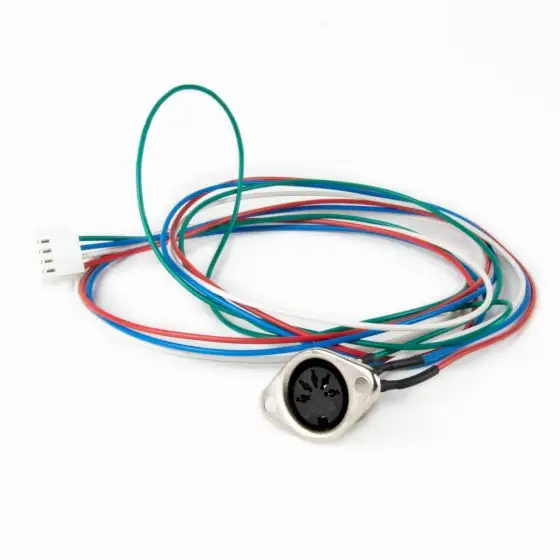
DIN5 bulkhead connector (PN 38212)
Jumper Test
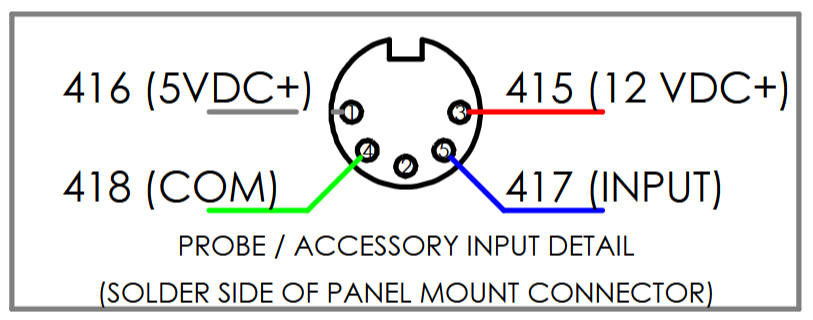
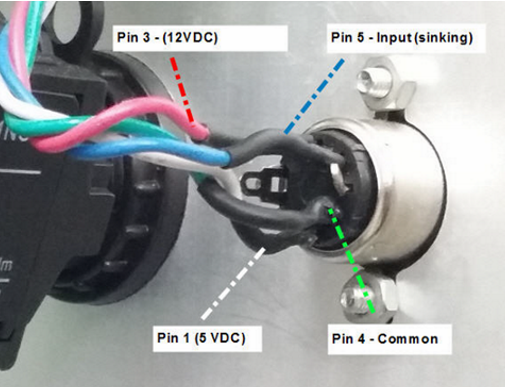
The image below shows an example of the DIN Port pin out from an 1100MX. The pin position and function remain the same across the board for all Tormach machines with a DIN Port present. Wire numbers may change.
-
Utilizing a paper clip or piece of wire, pin 4 and pin 5 may be jumped together.
-
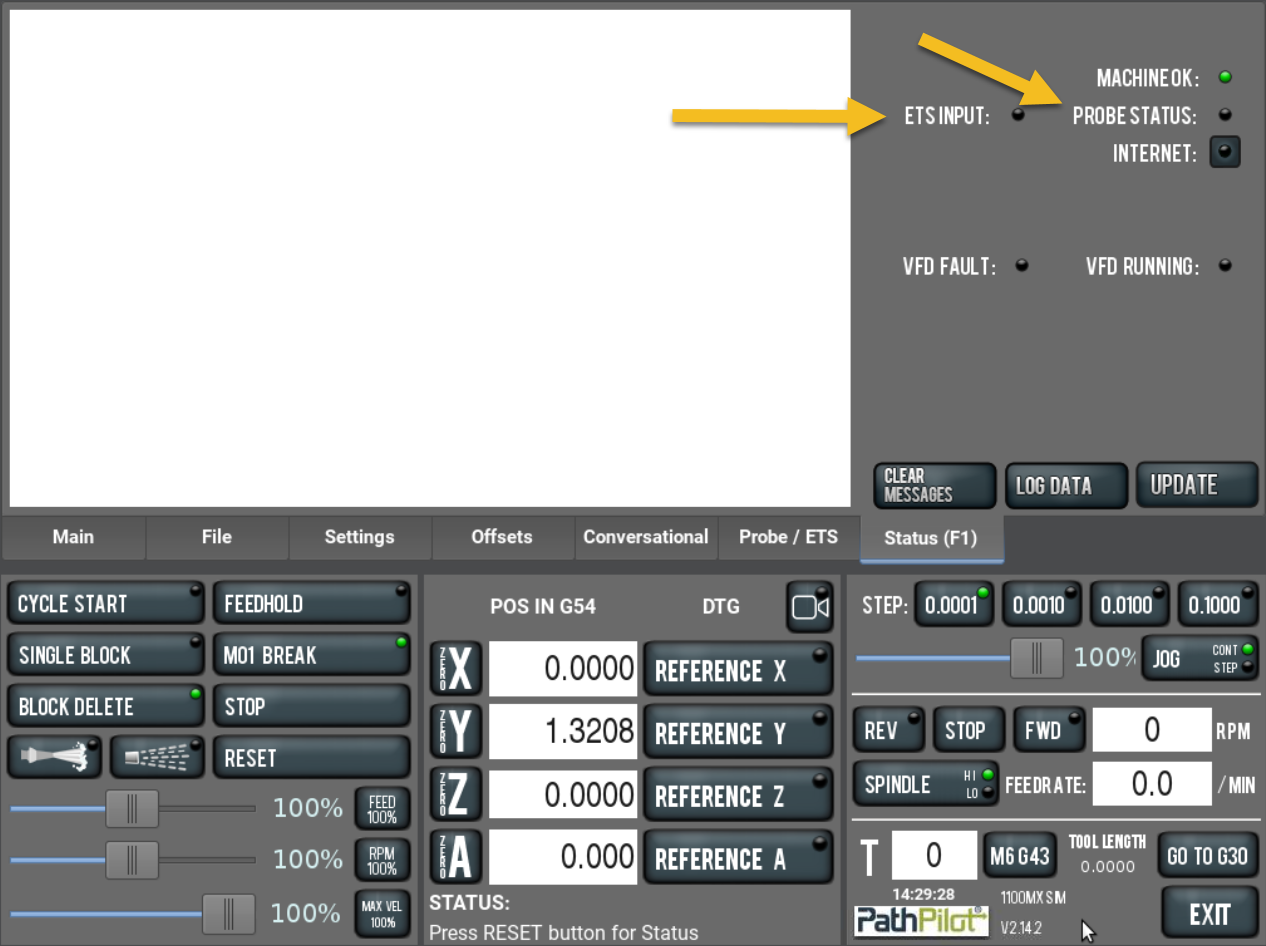
You will then monitor the condition of the ACC, ETS, or Probe Status LED on the Status tab of PathPilot. The labeling of the LED may vary based on machine configuration and PathPilot version.
-
The state of the light when the jumper is inserted versus removed, is dependent on whether a passive or active device is selected in the Settings tab of PathPilot. What is important, is you see the LED change states between pins 4 and 5 being jumped, compared to when the jumper is removed.
-
If the LED changes states as described above, the problem is on the device side. In this case replace the device.
-
If the LED does not change states, the port itself may be defective, there may be a broken wire, short or board level issue. Contact Tormach Technical Support for further diagnosis.